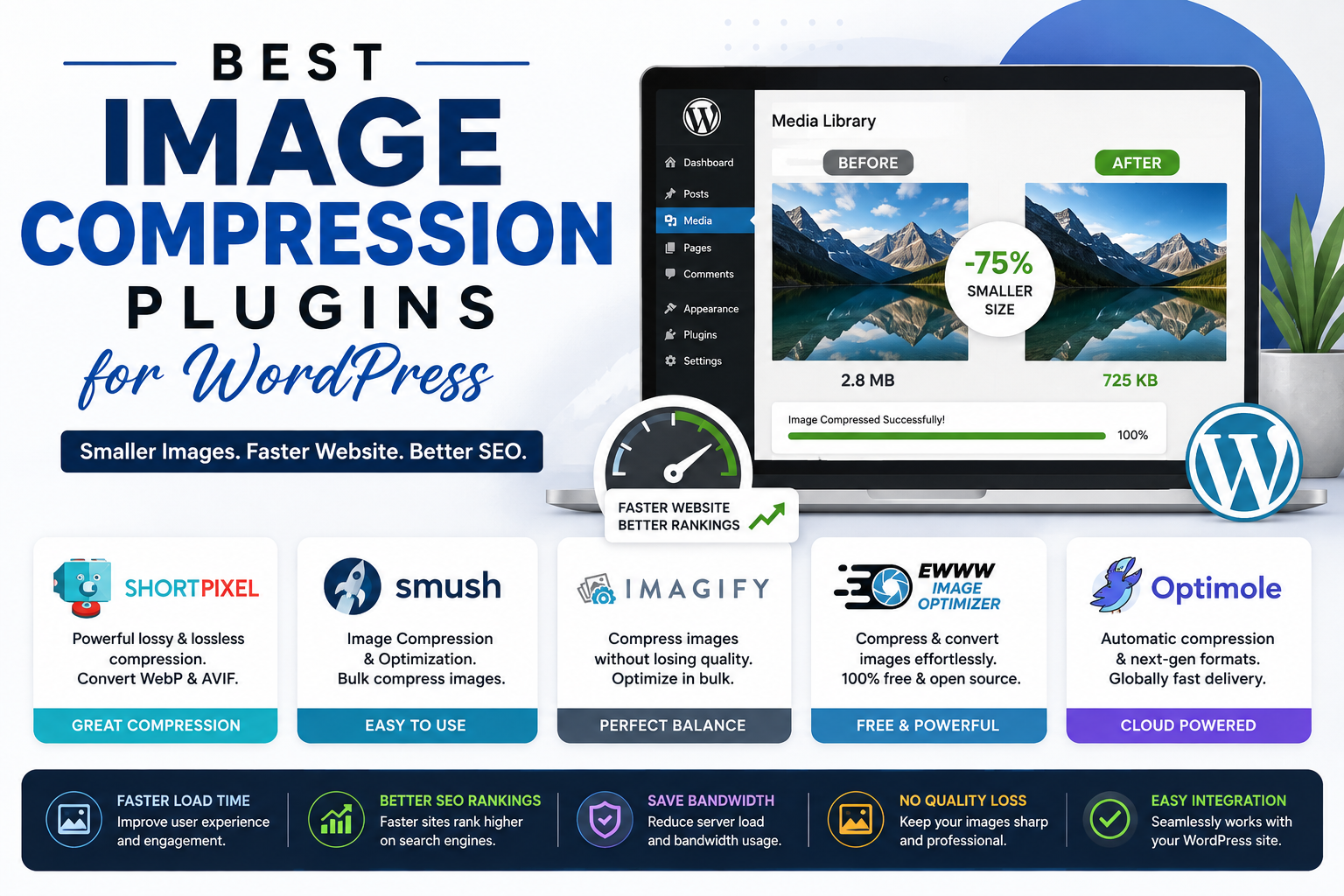
Images play a vital role in making blog posts more engaging, visually appealing, and easier to understand. Whether you’re publishing tutorials, case studies, or product reviews, quality images can significantly improve the reader’s experience.
However, large image files are one of the biggest reasons WordPress websites become slow. Slow-loading pages frustrate visitors, increase bounce rates, and can negatively affect your search engine rankings.
The good news is that you don’t have to sacrifice image quality to improve your website’s performance. With the right image compression plugin, you can reduce file sizes while maintaining excellent visual quality.
In this guide, we’ll explore the best image compression plugins for WordPress, their features, advantages, and how to choose the right one for your blog.
Why Image Compression Matters
Every image you upload adds to your website’s overall page size.
When images are not optimized, they can:
- Slow down page loading speed
- Increase bandwidth usage
- Hurt Core Web Vitals
- Affect SEO rankings
- Reduce user experience
- Increase hosting resource usage
Compressed images load faster while maintaining visual quality, making them an essential part of website optimization.
If you’ve been working on improving your website’s performance, our guide on How to Speed Up a WordPress Site explains why image optimization is one of the most effective ways to reduce loading times.
What Is an Image Compression Plugin?
An image compression plugin automatically reduces the file size of images uploaded to your WordPress website.
Most plugins compress images by removing unnecessary metadata and optimizing image files without causing noticeable quality loss.
Many also provide additional features like:
- WebP conversion
- Bulk image optimization
- Lazy loading
- Image resizing
- CDN integration
- Automatic optimization during upload
These features help improve website speed with minimal effort.
What to Look for in an Image Compression Plugin
Before choosing a plugin, consider the following:
- Compression quality
- Ease of use
- Bulk optimization
- Automatic image compression
- WebP support
- AVIF support
- Backup of original images
- Compatibility with your caching plugin
- Pricing
The ideal plugin should improve performance without making your images appear blurry.
1. ShortPixel Image Optimizer
ShortPixel is one of the most trusted image optimization plugins available for WordPress users.
It offers an excellent balance between image quality and file size reduction.
Key Features
- Lossy, Glossy, and Lossless compression
- WebP conversion
- AVIF support
- Bulk image optimization
- Automatic optimization
- PDF compression
Pros
- Excellent compression results
- Beginner-friendly interface
- Supports multiple image formats
- Great image quality
Cons
- Free monthly credits are limited.
Best For
Bloggers who want high-quality compression without sacrificing image appearance.
2. Smush
Smush is one of the most downloaded WordPress optimization plugins.
Its free version includes many useful features that make it ideal for beginners.
Key Features
- Automatic compression
- Lazy loading
- Bulk optimization
- Image resizing
- Directory optimization
Pros
- Easy setup
- Reliable performance
- Beginner-friendly
Cons
- Some advanced features require the premium version.
Best For
New bloggers looking for a simple image optimization solution.
3. Imagify
Developed by the creators of WP Rocket, Imagify offers powerful image optimization with a clean interface.
Key Features
- Automatic optimization
- WebP conversion
- AVIF support
- Backup of original images
- Bulk optimization
Pros
- Excellent compression quality
- Easy restoration of original images
- Multiple compression levels
Cons
- Free plan has monthly limits.
Best For
Website owners seeking an all-in-one image optimization tool.
4. EWWW Image Optimizer
EWWW Image Optimizer is known for its flexibility and privacy-focused features.
Unlike many competitors, it allows local image optimization without sending files to external servers.
Key Features
- Automatic optimization
- Unlimited file size support
- WebP conversion
- PDF optimization
- Metadata removal
Pros
- No file size restrictions
- Highly customizable
- Strong privacy features
Cons
- The settings may feel overwhelming for beginners.
Best For
Advanced users who prefer greater control over optimization.
5. Optimole
Optimole combines image optimization with a cloud-based CDN.
Instead of serving the same image to every visitor, it delivers optimized versions based on the visitor’s device and screen size.
Key Features
- Real-time image optimization
- Cloud-based CDN
- Lazy loading
- Responsive images
- Retina support
Pros
- Excellent performance
- Automatic device optimization
- Minimal configuration
Cons
- Requires account registration.
Best For
Blogs with global audiences that benefit from a CDN.
6. reSmush.it
reSmush.it is a free image optimization plugin suitable for bloggers on a budget.
Key Features
- Automatic optimization
- Bulk compression
- JPEG and PNG support
- Adjustable compression levels
Pros
- Completely free
- Easy to use
- Lightweight
Cons
- Fewer advanced features than premium alternatives.
Best For
Small blogs and beginners.
7. TinyPNG – Compress JPEG & PNG Images
TinyPNG is well-known for its impressive image compression technology.
Despite its name, it supports more than just PNG files.
Key Features
- Automatic optimization
- JPEG and PNG compression
- WebP support
- Bulk optimization
Pros
- Excellent image quality
- Reliable compression
- Easy integration
Cons
- Limited free monthly compressions.
Best For
Bloggers who regularly publish image-heavy articles.
Which Image Compression Plugin Is the Best?
The right plugin depends on your needs.
| Plugin | Best For |
|---|---|
| ShortPixel | Overall performance and quality |
| Smush | Beginners |
| Imagify | Premium optimization |
| EWWW Image Optimizer | Advanced users |
| Optimole | CDN and responsive images |
| reSmush.it | Free optimization |
| TinyPNG | High-quality image compression |
Image Compression Best Practices
Installing a plugin is only part of the optimization process.
You should also:
- Resize images before uploading them.
- Use descriptive filenames.
- Add descriptive alt text.
- Choose the correct image format.
- Avoid uploading unnecessarily large images.
- Enable lazy loading.
- Convert images to WebP whenever possible.
Following these practices improves both website speed and SEO.
Does Image Compression Affect SEO?
Yes—in a positive way.
While image compression isn’t a direct ranking factor, it contributes to several elements that influence SEO, including:
- Faster loading times
- Better Core Web Vitals
- Improved user experience
- Lower bounce rates
- Increased page engagement
Google rewards websites that provide a fast and seamless browsing experience.
If you’re also working on your site’s visibility, check out our guide on Best WordPress Plugins Every Blogger Needs, where we discuss additional tools that can improve your SEO and website performance.
Should You Use WebP Images?
Absolutely.
WebP images are significantly smaller than traditional JPEG and PNG files while maintaining excellent quality.
Many modern image compression plugins automatically convert uploaded images to WebP, helping your pages load faster without additional work.
Common Mistakes to Avoid
Many bloggers unknowingly reduce website performance by making these mistakes:
Uploading Images Directly From a Camera
Photos taken with smartphones or DSLR cameras are often much larger than necessary for web use.
Using Multiple Image Optimization Plugins
Installing more than one compression plugin can create conflicts and unnecessary processing.
Ignoring Alt Text
Optimized images should also include descriptive alt text to improve accessibility and image SEO.
Skipping Bulk Optimization
If your website already contains hundreds of images, use your plugin’s bulk optimization feature to improve existing files.
Conclusion
Choosing the best image compression plugin is one of the easiest ways to improve your WordPress website’s performance. Faster-loading pages create a better experience for visitors, improve your Core Web Vitals, and support your SEO efforts.
Whether you’re a beginner launching your first blog or an experienced publisher managing a content-rich website, image optimization should be part of your regular website maintenance routine.
Start with a reliable plugin like ShortPixel, Smush, or Imagify, follow image optimization best practices, and monitor your website’s speed regularly. Small improvements in page performance can have a significant impact on your blog’s long-term growth.
Frequently Asked Questions
1. What is the best image compression plugin for WordPress?
ShortPixel is widely regarded as one of the best overall image compression plugins because it offers excellent compression, WebP support, and high-quality results.
2. Will image compression reduce image quality?
Most modern plugins use intelligent compression methods that reduce file size while keeping any visible quality loss to a minimum.
3. Should I use JPEG, PNG, or WebP?
WebP is generally the best choice because it offers smaller file sizes while maintaining excellent image quality. JPEG works well for photographs, while PNG is ideal for graphics that require transparency.
4. Can image compression improve SEO?
Yes. Optimized images contribute to faster page loading, better Core Web Vitals, and an improved user experience, all of which support your SEO efforts.
5. Is one image compression plugin enough?
Yes. Using a single, reliable image compression plugin is usually sufficient. Installing multiple optimization plugins can cause conflicts and unnecessary processing.