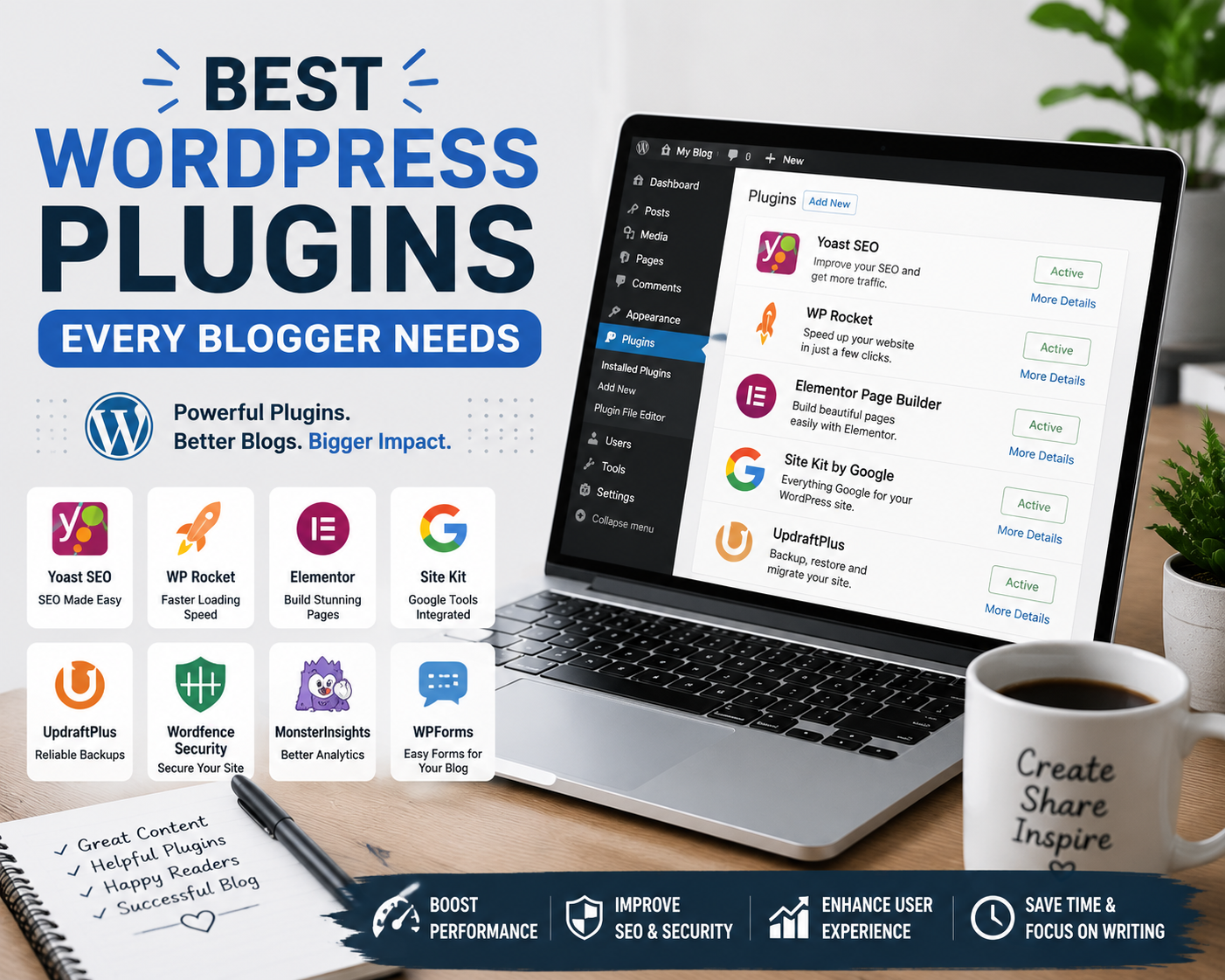
WordPress powers millions of websites around the world, making it one of the most popular platforms for bloggers, businesses, and content creators. One of the reasons WordPress remains so powerful is its extensive plugin ecosystem.
Plugins allow you to add features and functionality to your website without writing a single line of code. From improving SEO and website security to speeding up your site and backing up your content, the right plugins can make managing a blog much easier.
However, with thousands of plugins available, choosing the right ones can be overwhelming, especially for beginners.
In this guide, we’ll explore the best WordPress plugins every blogger needs in 2026, what they do, and why they’re worth considering for your website.
What Are WordPress Plugins?
WordPress plugins are software extensions that add new features to your website.
Think of them as apps for your WordPress site.
For example, plugins can help you:
- Improve SEO
- Increase website speed
- Secure your website
- Create contact forms
- Back up your content
- Track analytics
- Optimize images
- Improve user experience
The beauty of WordPress is that you can customize your website based on your specific needs.
Why Bloggers Need WordPress Plugins
Managing a successful blog involves much more than publishing articles.
Bloggers must also focus on:
- Search engine optimization
- Website performance
- Security
- User experience
- Data protection
- Content management
The right plugins help automate many of these tasks, allowing you to focus on creating valuable content.
If you’re still setting up your blogging journey, you may want to read our guide on How to Start a Blog in 2026, which explains the essential steps involved in building a successful blog from scratch.
1. Rank Math SEO
Why Bloggers Need It
Search Engine Optimization is essential for attracting organic traffic.
Rank Math is one of the most popular SEO plugins available today and provides powerful optimization features without overwhelming beginners.
Key Features
- SEO score analysis
- XML sitemap generation
- Meta title and description management
- Schema markup support
- Keyword optimization
- Google Search Console integration
Benefits
Rank Math helps ensure your content is optimized for search engines while remaining user-friendly.
For bloggers aiming to increase visibility on Google, this plugin can be extremely valuable.
2. Yoast SEO
Why Bloggers Need It
Yoast SEO remains one of the most trusted SEO plugins in the WordPress ecosystem.
It provides practical recommendations that help improve content readability and search engine optimization.
Key Features
- SEO analysis
- Readability checks
- XML sitemaps
- Meta management
- Social media optimization
Benefits
Yoast is particularly beginner-friendly and can help bloggers implement SEO best practices consistently.
3. WP Rocket
Why Bloggers Need It
Website speed plays a significant role in user experience and SEO.
Slow-loading websites can increase bounce rates and reduce visitor engagement.
Key Features
- Page caching
- Browser caching
- Database optimization
- Lazy loading
- File optimization
Benefits
WP Rocket helps improve loading times without requiring advanced technical knowledge.
This is especially important if you’re working toward Google AdSense approval, as website speed contributes to overall user experience.
If monetization is part of your blogging strategy, our guide on How to Get Google AdSense Approval explains why performance and website quality matter during the approval process.
4. LiteSpeed Cache
Why Bloggers Need It
For websites hosted on LiteSpeed servers, LiteSpeed Cache offers exceptional performance improvements.
Key Features
- Full-page caching
- Image optimization
- CSS and JavaScript optimization
- Database cleanup
Benefits
It provides many premium optimization features at no additional cost.
Many bloggers prefer it because of its effectiveness and ease of use.
5. Wordfence Security
Why Bloggers Need It
Security should never be ignored.
WordPress websites are frequent targets for hackers, spam attacks, and malicious bots.
Key Features
- Firewall protection
- Malware scanning
- Login security
- Threat detection
- Real-time monitoring
Benefits
Wordfence helps protect your website and provides peace of mind.
A secure website protects both your content and your visitors.
6. UpdraftPlus
Why Bloggers Need It
Imagine losing months or years of content due to a technical issue.
Regular backups are essential for every blogger.
Key Features
- Automatic backups
- Cloud storage integration
- Easy restoration
- Scheduled backups
Benefits
UpdraftPlus ensures your content remains protected even if something goes wrong.
7. WPForms
Why Bloggers Need It
Every professional blog should have a contact form.
WPForms allows you to create forms quickly without coding.
Key Features
- Drag-and-drop form builder
- Contact forms
- Survey forms
- Newsletter forms
- Mobile responsiveness
Benefits
It improves communication between you and your audience while maintaining a professional appearance.
8. ShortPixel
Why Bloggers Need It
Large image files can significantly slow down a website.
ShortPixel helps optimize images without sacrificing quality.
Key Features
- Automatic image compression
- WebP conversion
- Bulk image optimization
- Lossless compression
Benefits
Faster-loading images improve both user experience and SEO performance.
9. MonsterInsights
Why Bloggers Need It
Understanding visitor behavior is crucial for website growth.
MonsterInsights simplifies Google Analytics data directly within WordPress.
Key Features
- Traffic reports
- User behavior tracking
- Popular content analysis
- Conversion tracking
Benefits
The plugin helps bloggers make informed decisions based on actual visitor data.
10. Redirection
Why Bloggers Need It
Broken links and missing pages can negatively impact SEO and user experience.
Key Features
- 301 redirects
- Error monitoring
- Redirect management
- URL tracking
Benefits
Redirection helps maintain a healthy website structure and prevents visitors from encountering dead ends.
11. Smush
Why Bloggers Need It
Image optimization remains one of the easiest ways to improve website speed.
Key Features
- Image compression
- Lazy loading
- Bulk optimization
- Performance enhancements
Benefits
Smush helps keep your website fast and responsive.
12. Site Kit by Google
Why Bloggers Need It
Google provides several powerful tools that every blogger should use.
Site Kit brings many of these tools together in one dashboard.
Key Features
- Google Analytics integration
- Search Console integration
- AdSense integration
- PageSpeed Insights
Benefits
Site Kit provides valuable insights without requiring complex setup.
13. Akismet Anti-Spam
Why Bloggers Need It
Spam comments can quickly become a problem as your website grows.
Key Features
- Automatic spam detection
- Comment filtering
- Spam prevention
Benefits
Akismet keeps your comment section clean and manageable.
14. Broken Link Checker
Why Bloggers Need It
Broken links create a poor user experience and may affect SEO.
Key Features
- Link monitoring
- Error detection
- Broken link notifications
Benefits
The plugin helps maintain website quality and user trust.
15. Elementor
Why Bloggers Need It
Elementor allows users to build beautiful pages without coding.
Key Features
- Drag-and-drop editor
- Responsive design controls
- Landing page builder
- Custom layouts
Benefits
Bloggers can create professional-looking pages with minimal effort.
How Many Plugins Should You Install?
A common misconception is that more plugins automatically make a website better.
The reality is that too many plugins can:
- Slow down your website
- Create conflicts
- Increase security risks
Instead, focus on installing plugins that provide real value.
Quality is more important than quantity.
Recommended Plugin Stack for New Bloggers
If you’re just starting out, these plugins are enough to build a solid blogging foundation:
- Rank Math SEO
- WP Rocket or LiteSpeed Cache
- Wordfence Security
- UpdraftPlus
- WPForms
- Site Kit by Google
- ShortPixel
- Redirection
This combination covers SEO, security, backups, performance, analytics, and user communication.
Conclusion
WordPress plugins can dramatically improve the functionality, performance, security, and growth potential of your blog. While there are thousands of plugins available, not every plugin deserves a place on your website.
Focus on tools that help improve user experience, optimize SEO, protect your website, and simplify website management.
Whether you’re launching a brand-new blog or improving an existing one, the plugins discussed in this guide can help create a stronger foundation for long-term success.
Choose carefully, keep your plugins updated, and regularly review your website’s performance to ensure everything runs smoothly.
Frequently Asked Questions – FAQs
1. What is the most important WordPress plugin for bloggers?
SEO plugins such as Rank Math or Yoast SEO are often considered essential because they help improve search engine visibility and organic traffic.
2. Can I use multiple SEO plugins at the same time?
No. Running multiple SEO plugins simultaneously can create conflicts and duplicate settings. It is best to choose one SEO plugin.
3. How many plugins should a WordPress blog have?
There is no fixed number, but most successful blogs use only the plugins they truly need. Quality and performance matter more than quantity.
4. Do plugins slow down WordPress websites?
Poorly coded or excessive plugins can affect performance. However, well-optimized plugins often improve website functionality without causing issues.
5. Are free WordPress plugins good enough?
Many free plugins provide excellent functionality. However, some premium plugins offer advanced features, support, and additional performance improvements.